Skip to content

GREATLINK MIDI to USB Cable

A 5-pin MIDI socket on one end, USB-A on the other, 16 channels, and no software to install. The cheapest route from an older keyboard into a computer, with lights that show which direction is actually passing data.

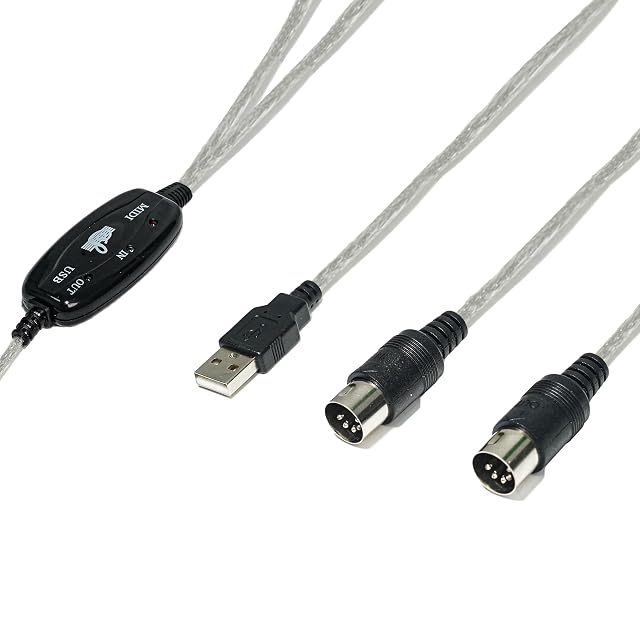
GREATLINK MIDI to USB cable with in and out activity lights

GREATLINK MIDI to USB Cable

A 5-pin MIDI socket on one end, USB-A on the other, 16 channels, and no software to install. The cheapest route from an older keyboard into a computer, with lights that show which direction is actually passing data.

Connection
5-pin MIDI to USB-A — a MIDI keyboard, piano or synthesizer to a Windows, Mac or Android device (maker’s bullet)
Channels
16 (from the title)
Driver
None required — stated plug and play, no software installation (maker’s bullet)
Indicators
LED signal lights for MIDI input and output activity, stated to remove the guesswork from troubleshooting (maker’s bullet)
Latency
Described as engineered for low latency and precise timing. No figure is published (maker’s bullet)
Stated compatibility
Most MIDI instruments — keyboards, controllers, drum machines — with Windows 10/11, macOS and major DAWs (maker’s bullet)
Length
GREATLINK puts nothing in writing on this. One of the three MIDI cables on this shelf publishes a length
Price
$8.99 — the least expensive of the three MIDI cables on this shelf
Manufacturer reference
MIDI Cable for Computer 001 — a description rather than a code, which is how the maker publishes it
Weight
Not in the product record
Amazon reference
B0F9WMH1MV
EAN
0686585205797
  • The cheapest route from a 5-pin MIDI instrument into a computer on this shelf, at $8.99
  • Separate in and out activity lights, which turn a silent setup into a one-glance diagnosis
  • USB-A, so a laptop with only USB-C ports needs a hub or an adapter as well

Best for: An older keyboard or synthesizer with 5-pin MIDI sockets and a computer that still has a USB-A port.
Check price on Amazon

Specifications

Connection
5-pin MIDI to USB-A — a MIDI keyboard, piano or synthesizer to a Windows, Mac or Android device (maker’s bullet)
Channels
16 (from the title)
Driver
None required — stated plug and play, no software installation (maker’s bullet)
Indicators
LED signal lights for MIDI input and output activity, stated to remove the guesswork from troubleshooting (maker’s bullet)
Latency
Described as engineered for low latency and precise timing. No figure is published (maker’s bullet)
Stated compatibility
Most MIDI instruments — keyboards, controllers, drum machines — with Windows 10/11, macOS and major DAWs (maker’s bullet)
Length
GREATLINK puts nothing in writing on this. One of the three MIDI cables on this shelf publishes a length
Price
$8.99 — the least expensive of the three MIDI cables on this shelf
Manufacturer reference
MIDI Cable for Computer 001 — a description rather than a code, which is how the maker publishes it
Weight
Not in the product record
Amazon reference
B0F9WMH1MV
EAN
0686585205797

A round 5-pin MIDI connector on one end and USB-A on the other. 16 channels. No driver. Activity lights for input and output. $8.99.

This is the cheapest way on this shelf to get an instrument that predates USB into a computer, and that is a larger group than it sounds: most synthesizers, a great many keyboards and nearly every older drum machine publish 5-pin DIN sockets and nothing else.

Sixteen channels is the full MIDI specification rather than a selling point — both of the other MIDI cables on this shelf publish the same figure, and one of them publishes no channel count at all.

The lights are the detail worth having. MIDI is directional, one way per socket, and the single most common fault is a cable fitted In-to-In instead of In-to-Out. A light that stays dark when a key is pressed answers that in a second; a light that flashes while the software stays silent moves the problem somewhere else entirely. No driver matters for the same reason — there is nothing to install, and nothing that stops working when the operating system updates itself.

Three things are not published. The length, which decides whether the keyboard can stay where it is. The latency, which is described as low and given no figure. And the manufacturer reference, which reads MIDI Cable for Computer 001 — a description where the other two MIDI cables here publish a code.

And it is USB-A. On a laptop with only USB-C sockets that means a second adapter, where the two dearer MIDI cables on this shelf terminate in USB-C themselves.

Availability

Read on the day this page was built: $9 at the American Amazon shop.

Read from Keepa on the day this page was last revised; stock and price both move without notice.

Prices quoted in this text were read on 2026-10-07. The live price is at the top of the page.

The questions players ask

My keyboard has USB already — do I need this?

No. A keyboard with a USB-B socket connects straight to a computer with a USB A-to-B lead, and there is one on this shelf. This cable is for the other case: an instrument whose only MIDI connection is the round 5-pin DIN sockets, which covers most synthesizers and keyboards made before USB and a good many drum machines still. If your instrument has both, use the USB socket — it is one cable instead of two ends.

What are the lights actually for?

They tell you which half of the connection is working. MIDI runs one direction per socket, and the commonest fault is a cable fitted the wrong way round — In to In rather than In to Out. With activity lights, a key press that lights nothing means the cable is reversed or the instrument is not transmitting; a light with no sound in the software means the problem is in the software. Both other MIDI cables on this shelf publish indicators too — one of them says which color means what.

Instruments it is stated to fit

All cables & adapters