Skip to content

The best audio interfaces for 2026

An interface is counted in simultaneous inputs, not in sockets. A box with one XLR and one instrument jack records one voice and one guitar at once; recording both a singer and a guitar together needs two preamps, and the product name rarely says so. We compare simultaneous inputs, phantom power, direct or zero-latency monitoring, the highest published sample rate, whether the unit is bus-powered, and — the detail that decides whether recording is pleasant or maddening — whether the manufacturer ships a dedicated low-latency driver or leans on the operating system.

The models we recommend

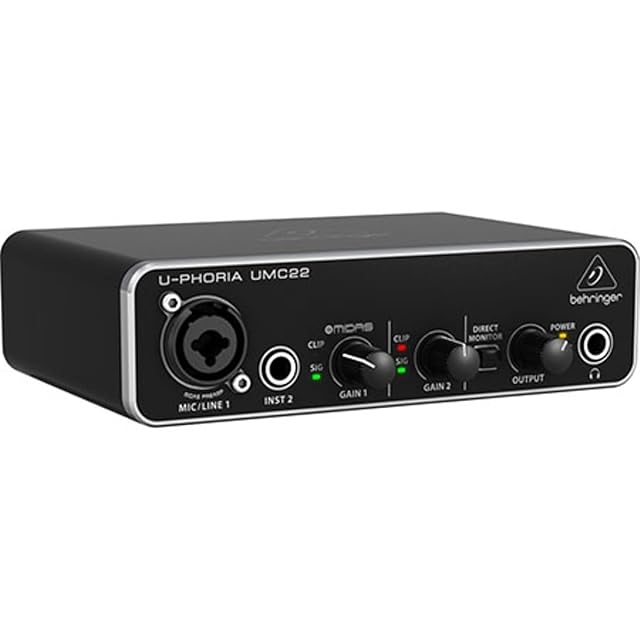
  1. Behringer UMC22

    2×2 · Midas preamp · 48 kHz · USB powered

    The cheapest honest way into recording: one XLR/TRS combo input with a Midas-designed preamp, a separate instrument input, direct monitoring and USB power. Forty-eight kilohertz, and no pretense beyond it.

    Best for: A first interface for one voice or one instrument at a time.

    7.2/10

    ≈ $53

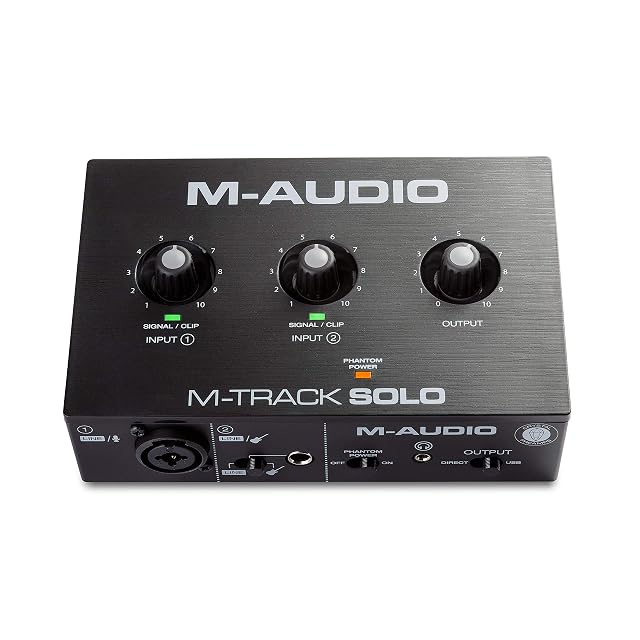
  2. M-Audio M-Track Solo

    48 kHz · combo XLR/line · RCA outputs · USB powered

    A compact 48 kHz interface with a combo XLR input carrying phantom power, a separate line/instrument input, RCA outputs and a USB/Direct switch for latency-free monitoring.

    Best for: A desktop setup feeding powered speakers through RCA rather than through balanced jacks.

    7.2/10

    ≈ $49

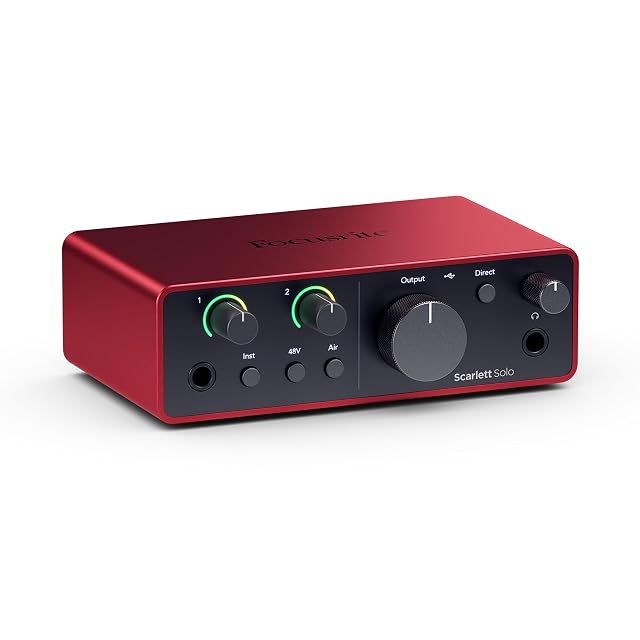
  3. Focusrite Scarlett Solo (4th Gen)

    2 in / 2 out · 120 dB dynamic range · Air mode

    One microphone preamp and one instrument input, with the same 120 dB converters Focusrite puts in its larger interfaces, an Air mode for presence, and a software bundle that is a large part of the value.

    Best for: A songwriter recording one part at a time who wants room to grow.

    7.8/10

    ≈ $130

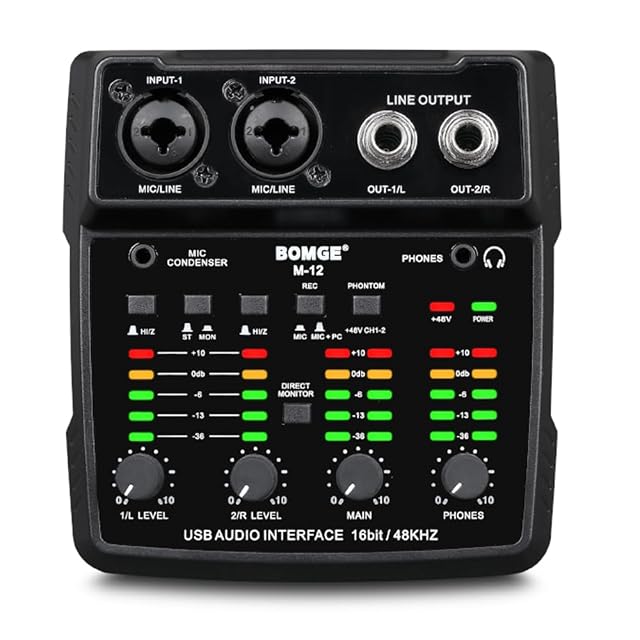
  4. BOMGE M12

    2 channels · 48 V phantom power · gain meter −36 to 10 dB · 3.5 mm (0.14 in) mic input

    The least expensive interface on this shelf by a wide margin, with two XLR inputs, 48 V phantom power, a published gain-meter range of −36 to 10 dB, and an extra 3.5 mm (0.14 in) microphone jack.

    Best for: A first interface for someone who already has recording software and wants two XLR inputs for the least money.

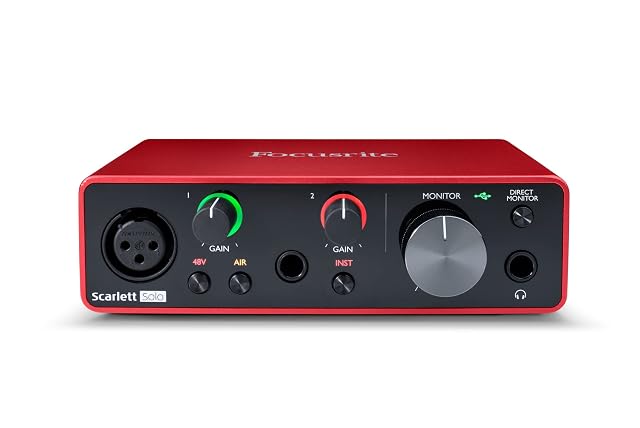
  5. Focusrite Scarlett Solo (3rd Gen)

    24-bit/192 kHz · Air mode · Gain Halos · three-year warranty

    The previous generation of the Solo, publishing 24-bit/192 kHz and a three-year warranty — the only warranty period on this shelf — with the Air mode and the same software bundle as the current model.

    Best for: The same recording chain as the current Solo at a lower price, for someone who does not need the newest converters.

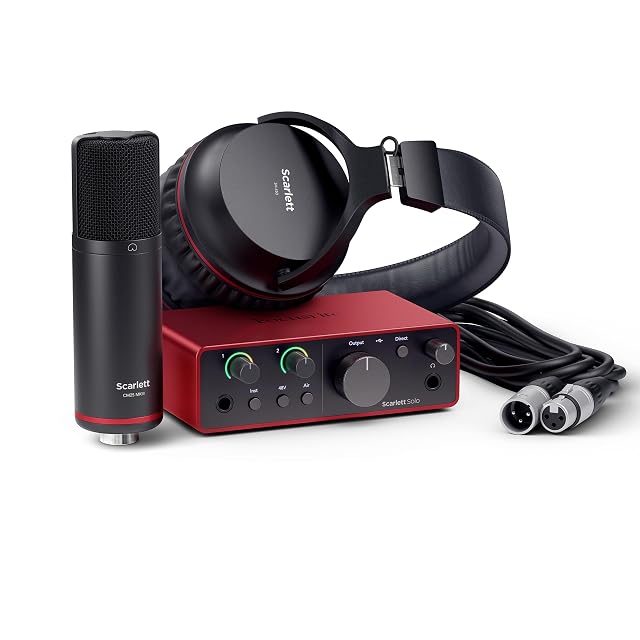
  6. Focusrite Scarlett Solo Studio (4th Gen)

    A bundle: the Solo 4th Gen, a CM25 MkIII microphone and SH-450 headphones

    Not an interface but a package: the Solo 4th Gen already published here, plus the CM25 MkIII condenser microphone and the SH-450 headphones, with the same 120 dB converters and the same software.

    Best for: A first recording setup where one order beats three, and the microphone and headphones do not need to be chosen.

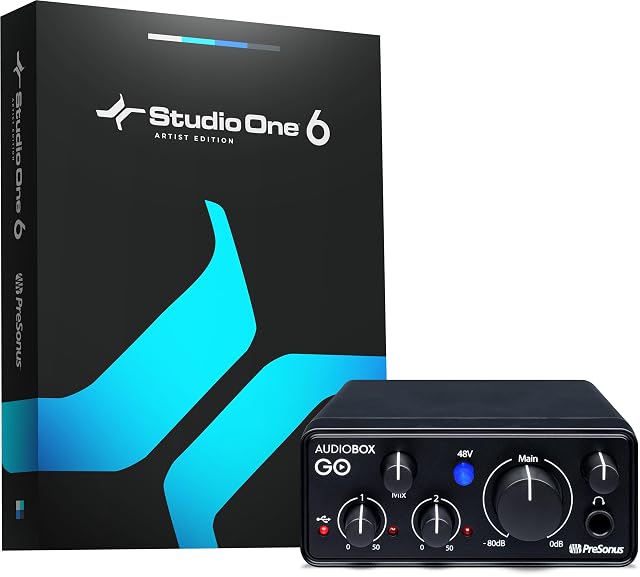
  7. PreSonus AudioBox GO

    XMAX-L preamp with 50 dB of gain · 24-bit/96 kHz · bus powered · Studio One included

    The only interface here to publish how much gain its preamp has — 50 dB, adjustable, with switchable 48 V — in a bus-powered USB-C box with 24-bit/96 kHz converters and Studio One Prime included.

    Best for: Recording a voice and a guitar on a laptop, a tablet or a phone, where the gain figure matters more than the sample rate.

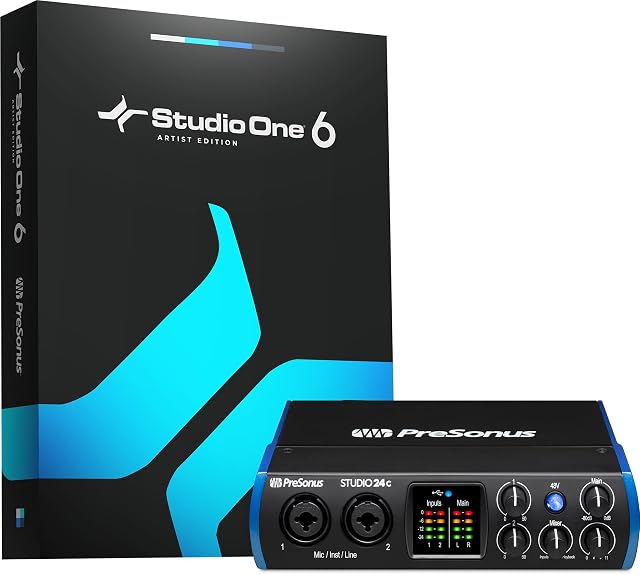
  8. PreSonus Studio 24c

    Six sample rates published to 192 kHz · two XMAX-L preamps · MIDI In/Out · four LED meters

    The most completely specified interface on this shelf: six sample rates listed to 192 kHz, two XMAX-L preamps, MIDI In and Out, four ladder LED meters, front-panel output levels and both USB-C cables in the box.

    Best for: A home studio with two sources, a MIDI keyboard and a pair of monitors, where the figures should be on the page.

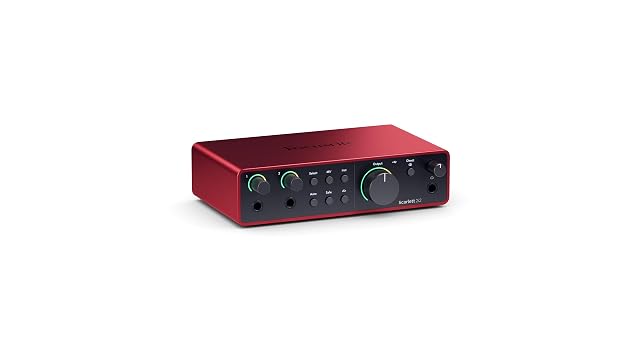
  9. Focusrite Scarlett 2i2 (4th Gen)

    Two preamps · Auto Gain · Clip Safe · 120 dB

    Two microphone preamps rather than one, plus Auto Gain to set levels and Clip Safe to stop a take being destroyed by a loud moment. The interface most home studios settle on and stop replacing.

    Best for: Anyone who will ever record two things at the same time.

    8.4/10

    ≈ $220

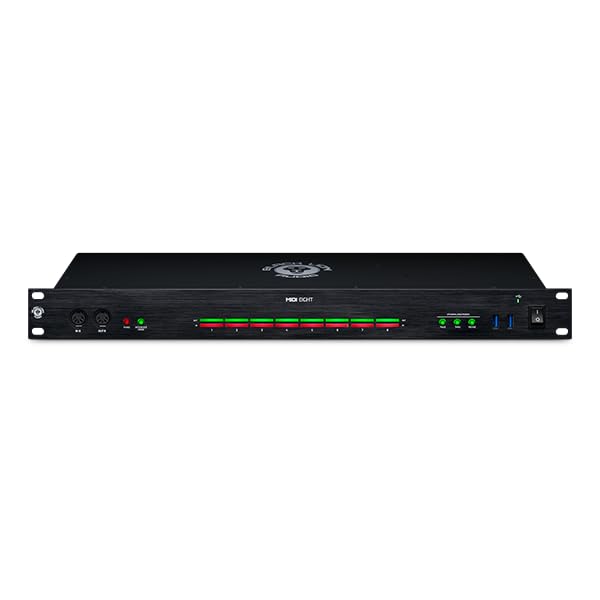
  10. Black Lion Audio MIDI Eight

    No audio at all · 8 in / 8 out MIDI · three standalone routing modes

    The one listing on this shelf that passes no audio: an 8-in, 8-out MIDI interface with three standalone routing modes, per-port activity indicators and front-mounted sockets.

    Best for: A studio with more than two MIDI instruments, where the problem is routing rather than recording.

Need by need, within audio interfaces

Recording several sources at once

The number of inputs decides what you can capture simultaneously. Recording a band, or a voice with a guitar, needs at least two inputs.

Black Lion Audio MIDI Eight

Recording one source at a time

An interface with one or two inputs suits the vast majority of home studios and costs markedly less.

PreSonus AudioBox GO

Traveling in the laptop bag

An interface powered from the data port, with no mains brick, travels in the same pocket as the laptop. The stated dimensions and weight say whether recording ever leaves the desk.

Focusrite Scarlett 2i2 (4th Gen)

Who each family suits, across audio interfaces

Voice and a single instrument
Two inputs cover the overwhelming majority of home needs. Beyond that you pay for channels that will never be used.
Drums or a band
The number of inputs becomes the only criterion. A multi-miked drum kit calls for an interface in another category.
Playing in real time
Latency is what makes an instrument playable or unplayable through the computer. Driver quality then counts for more than the input count.

What you gain and what you give up, on audio interfaces

Input count against preamp quality
At the same budget, more inputs means simpler preamps. Two good inputs beat eight mediocre ones for a home studio.
Latency against computer load
Reducing latency raises the processor load and brings on crackles. A setting to adjust per session.
Direct monitoring against software monitoring
Direct monitoring removes all latency while recording and does not let you hear the effects. Software monitoring does the opposite.

Frequent questions on audio interfaces

How many inputs do I need?

Two cover the great majority of home uses: a voice and an instrument, or a pair of mics. Beyond that it is a band requirement.

What is latency?

The delay between playing and hearing. Past a certain threshold, playing becomes impossible.

How do I reduce latency?

By lowering the buffer size in the software until crackles appear. The interface’s drivers matter a great deal.

What is direct monitoring for?

Hearing yourself without going through the computer, so with no delay at all. It is what makes recording vocals comfortable.

Do I need phantom power?

Only for condenser mics. It is switched on by a dedicated button and should not be connected hot to sensitive gear.

What does the stated resolution mean?

The fineness of the analog-to-digital conversion. Past a certain level, the audible difference becomes very slight in home use.

Does the interface replace the sound card?

It replaces it to advantage for recording and listening. A computer’s built-in card has neither a decent mic input nor low-latency drivers.

Do I need a separate power supply?

Small interfaces run off the USB bus. Multi-input models often need an external supply.

What stays with you, on audio interfaces

Two good inputs beat eight mediocre ones: at the same budget, multiplying channels degrades the preamps. Latency is set by the buffer size, down to the first crackles, and direct monitoring removes all delay while recording.

Summed up: audio interfaces

    The full table of audio interfaces

    A column is opened only if four devices in five publish the figure. Below that, it would set blanks against blanks.

    ModelPriceSoftwareChannelsResolution
    M-Audio M-Track Solo$49MPC Beats, Revalver, 3 virtual instruments, 80 FX plug-ins—48 kHz (M-Audio states)
    Behringer UMC22$53—2 in / 2 out48 kHz (Behringer states)
    Focusrite Scarlett Solo (4th Gen)$130Pro Tools Intro+, Ableton Live Lite, Cubase LE, Hitmaker Expansion2 in / 2 out—
    Focusrite Scarlett 2i2 (4th Gen)$220Pro Tools Intro+, Ableton Live Lite, Cubase LE, Hitmaker Expansion2 in / 2 out, two microphone preamps—
    Black Lion Audio MIDI Eight—Black Lion Audio puts nothing in writing on this.8 MIDI inputs and 8 MIDI outputsNot applicable. MIDI carries note and controller data, not audio, so there is no sample rate or bit depth
    BOMGE M12—BOMGE puts nothing in writing on this. Four interfaces here include a DAW2 balanced XLR inputs, 2 line outputs switchable to mono, plus a 3.5 mm (0.14 in) condenser mic input and a headphone outputBOMGE puts nothing in writing on this. Two interfaces here publish 192 kHz and one publishes 48 kHz
    Focusrite Scarlett Solo (3rd Gen)—Pro Tools Intro+, Ableton Live Lite, Cubase LE and Hitmaker Expansion—24-bit / 192 kHz for recording and mixing — one of two interfaces on this shelf to publish 192 kHz
    Focusrite Scarlett Solo Studio (4th Gen)—Pro Tools Intro+, Ableton Live Lite, Cubase LE and Hitmaker Expansion — the same bundle as the interface aloneAs the Solo: one microphone preamp and one instrument inputFocusrite publishes a dynamic range rather than a sample rate for the 4th Gen. The 3rd Gen on this shelf publishes 24-bit/192 kHz
    PreSonus AudioBox GO—Studio One Prime DAW and the Studio Magic bundle, with tutorials and samples1 XLR mic/line combo input and 1 TS instrument input, so a microphone and a guitar at the same time; 2 balanced TRS outputs24-bit / 96 kHz for recording and playback
    PreSonus Studio 24c—Studio One 6 Artist Edition2 in / 2 out simultaneous, with 2 mic/instrument/line inputs24-bit at 44.1, 48, 88.2, 96, 176.4 and 192 kHz — the only interface on this shelf to publish the full list rather than a ceiling

    Our guides on audio interfaces

    Sources, and how the order is set

    Specifications: manufacturer sheets for musical instruments and gear and the matching Amazon product pages. Prices and availability: Keepa. Every figure in this table names its source.

    Most recent revision in this category: October 7, 2026.

    The method applied to audio interfaces

    Prices quoted in these summaries are dated readings. The live price is shown next to each product.