Skip to content

The best MIDI keyboards and pad controllers for 2026

A MIDI controller makes no sound of its own: it sends notes to software, and its value is in how quickly its controls line up with that software. Twenty-five keys fit beside a laptop and cover one hand; forty-nine allow two. Pads are counted separately and are what drum programming actually uses. We compare key and pad counts, key feel, whether aftertouch is present, the bundled software — often a third of the real value at this price — and whether the unit is bus-powered or needs its own supply.

The models we recommend

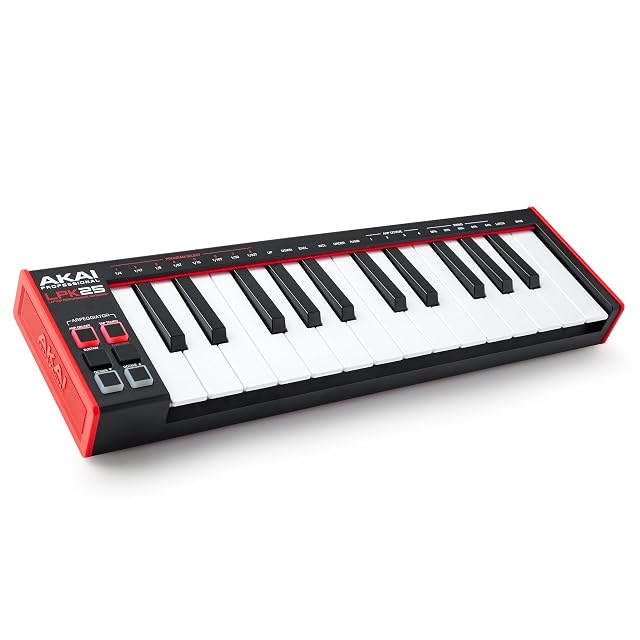
  1. Akai Professional LPK25

    25 mini keys · arpeggiator · 8 preset slots · USB powered

    The smallest way to get keys next to a laptop: 25 responsive mini keys, octave buttons, a sustain button, a built-in arpeggiator with clock, and eight programmable preset slots.

    Best for: Writing parts on a laptop, on a desk with no room for anything larger.

    7.2/10

    ≈ $59

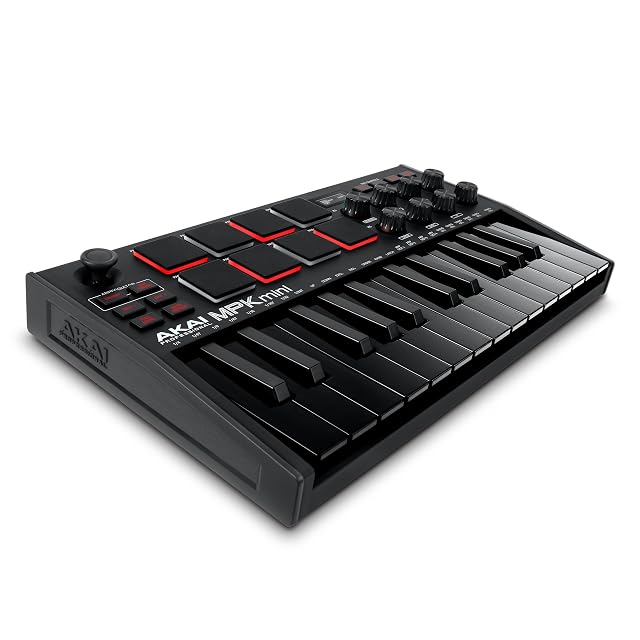
  2. Akai Professional MPK Mini MK3

    25 mini keys · 8 pads · 8 knobs · thumbstick · NKS

    The default small controller: 25 velocity-sensitive mini keys, eight backlit MPC pads, eight 360-degree knobs, a four-way thumbstick, an arpeggiator and NKS integration.

    Best for: Beat making and production on a laptop, where pads matter as much as keys.

    7.8/10

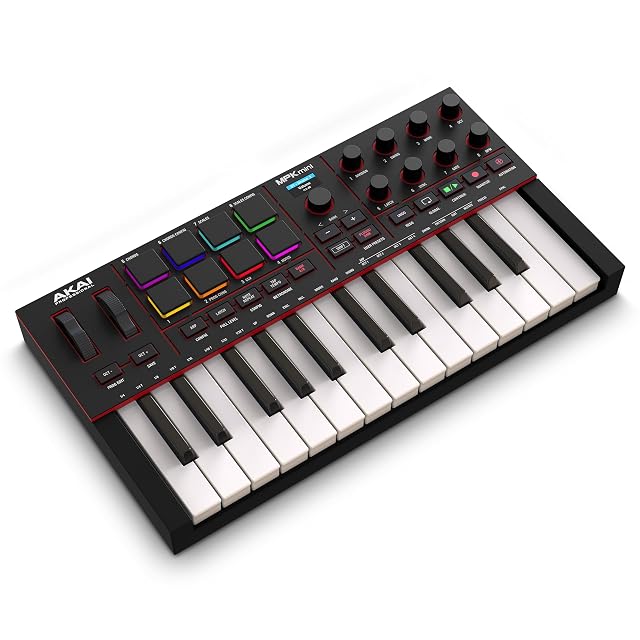
  3. Akai Professional MPK Mini IV

    25 mini keys · pressure-sensitive MPC pads · full-color screen · USB-C · MIDI Out

    The fourth generation of the MPK Mini, and the only controller here whose pads sense pressure as well as velocity — with a full-color screen, a push/turn encoder, USB-C and a full-size MIDI output.

    Best for: Finger-drumming and beat work on a desk, where the pads matter more than the keys.

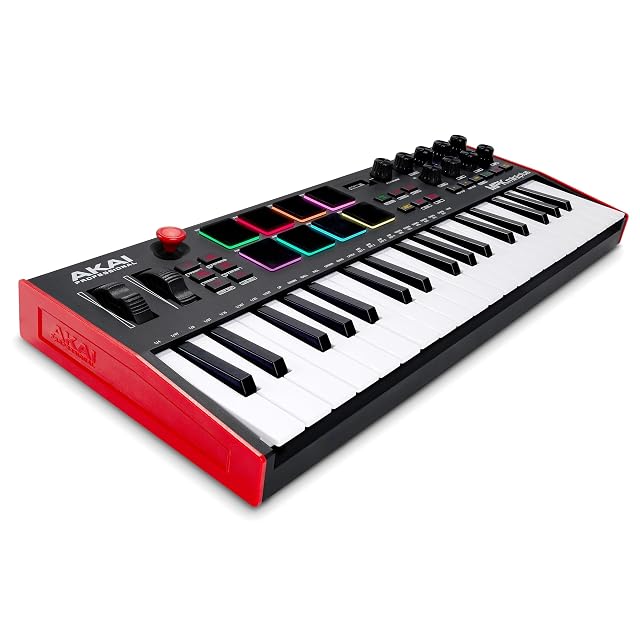
  4. Akai Professional MPK Mini Plus

    37 keys · CV/Gate and MIDI I/O · 64-step sequencer · 8 RGB MPC pads

    The only controller on this shelf with CV/Gate and the only one with a sequencer: 37 keys, MIDI in and out, a 64-step sequencer with separate drum and melody tracks, and eight RGB MPC pads.

    Best for: A desk with hardware on it: a synth, a module or a modular rack that needs a keyboard and a sequencer.

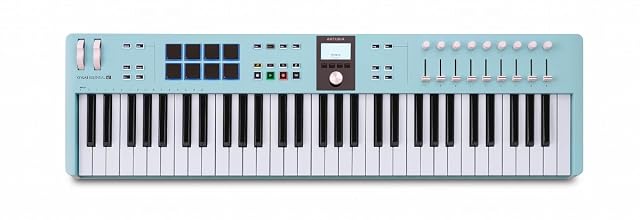
  5. Arturia KeyLab Essential 61 mk3

    61 keys · 2,000 presets · 8 RGB pads · 9 encoders · no faders published

    The 61-key version of a keyboard this site already publishes at 49 keys, with 2,000 presets and nine encoders — and a listing that does not mention the nine faders the smaller model publishes.

    Best for: A player who wants the 49-key KeyLab Essential with twelve more keys, and will read the smaller model’s page for the rest.

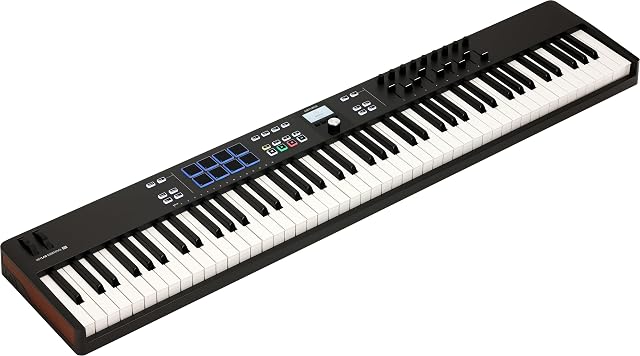
  6. Arturia KeyLab Essential 88 mk3

    Two bullets, and the second one is the word Blk

    The thinnest listing in this family: eighty-eight keys, and a second bullet reading “Blk”. Nothing is published about the action, the controls, the pads, the software or the connections.

    Best for: A player who has decided they want 88 keys from this range and will find the specification somewhere other than the listing.

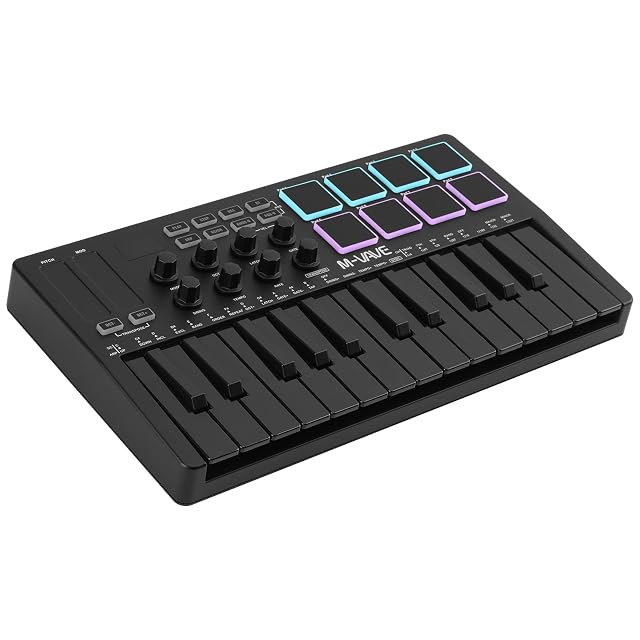
  7. M-VAVE K5

    25 keys · Bluetooth with a 2,000 mAh battery · 8 RGB pads · 2 touch strips

    The only controller on this shelf that plays without a cable: Bluetooth on a 2,000 mAh battery, with 25 velocity-sensitive keys, eight RGB pads, eight encoders and two capacitive touch strips in place of wheels.

    Best for: Writing on a sofa or a train, where the cable is the thing in the way.

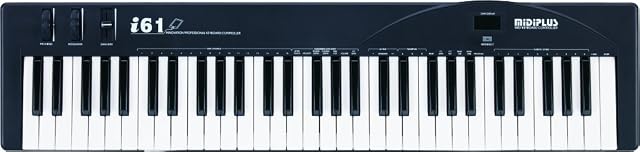
  8. midiplus i61

    61 full-size keys · two MIDI outputs · sustain pedal socket · two bullets

    The least expensive full-size keyboard on this shelf, and the only one with two MIDI output sockets — published in two bullets that between them say more than three listings here manage in five.

    Best for: A player who wants 61 full-size keys and a socket to drive hardware, and already owns the software.

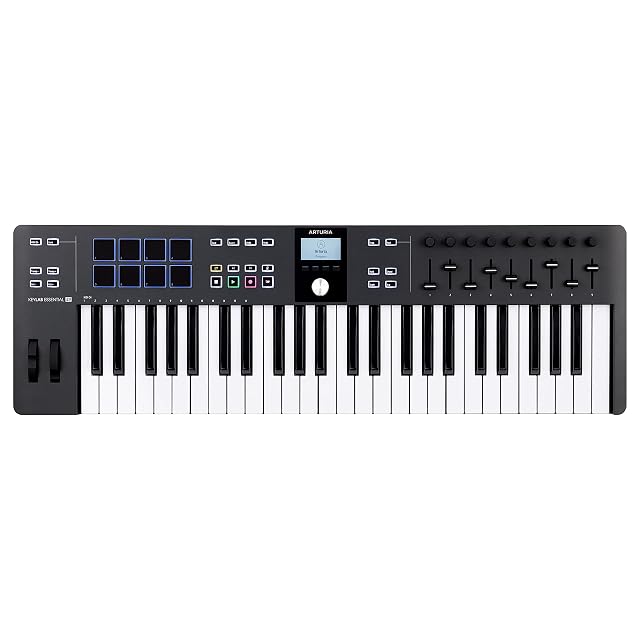
  9. Arturia KeyLab Essential 49 mk3

    49 keys · 9 knobs · 9 faders · 8 pads · chord and scale modes

    A full-width controller: 49 keys, nine knobs, nine faders, pitch and modulation wheels, eight pads, and creative tools including Chord Play and a scale mode.

    Best for: A permanent desk setup where the controller is also the mixing surface.

    8.4/10

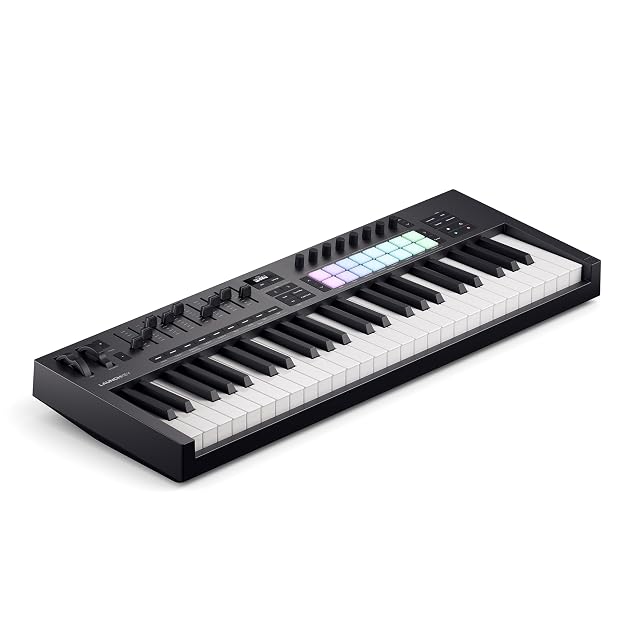
  10. Novation Launchkey 49 MK4

    49 keys · USB MIDI · deep Ableton integration

    Novation’s 49-key controller, built around integration with a DAW rather than around a control count — the fourth generation of a design aimed squarely at Ableton Live users.

    Best for: Someone already working in a DAW who wants the hardware to match it.

    8.4/10

    ≈ $280

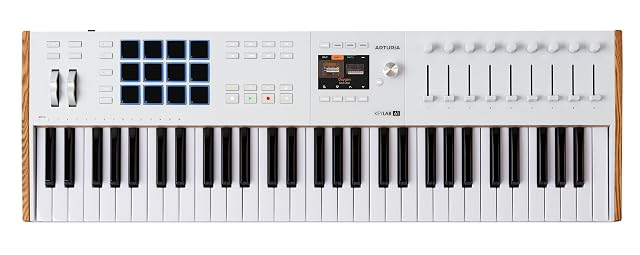
  11. Arturia KeyLab 61 mk3

    Five bullets, three of them category words and two of them seller boilerplate

    The most expensive controller on this shelf, and the one that publishes least for the money: five bullets of which three are category labels and two are statements about the seller rather than the product.

    Best for: A player who already knows the KeyLab mk3 and is buying on the name, because the listing describes nothing.

Need by need, within MIDI keyboards & pads

Playing keys into a computer

The span of the keyboard decides what can be played without transposing constantly. It is the limit you meet first.

Arturia KeyLab Essential 88 mk3

Fitting on a corner of the desk

A short controller slips in front of a computer keyboard and travels. For programming, a couple of octaves is enough.

Akai Professional MPK Mini MK3

Driving the software without the mouse

Every assignable knob replaces a trip to the screen, and that is what changes working speed. The stated count of physical controls is the useful measure here.

Akai Professional MPK Mini IV

Who each family suits, across MIDI keyboards & pads

Composing at the keyboard
A wide keyboard lets you play both hands as on a piano. The composer’s format.
Beat production
The pad grid then counts for more than the keys. Some controllers are built entirely around them.
A MIDI keyboard in a backpack
A controller powered from the USB port, with no external supply, slips into a bag with the computer.

What you gain and what you give up, on MIDI keyboards & pads

Span against footprint
A long keyboard lets you play anything and takes up the width of a desk. The short format stows away and forces constant transposing.
Weighted keys against light weight
A weighted action makes pianistic playing natural and weighs tens of kilos. Semi-weighted keys are the usual compromise.
Physical controls against software integration
Assignable knobs and faders let you work without the mouse. Their usefulness depends heavily on integration with the software you use.

Frequent questions on MIDI keyboards & pads

Does a MIDI controller produce sound?

No, none at all. It sends note information to a computer or a module, which produces the sound.

How many keys should I choose?

Two octaves are enough for programming, four for comfortable playing, more for full pianistic playing.

Do I need weighted keys?

For pianistic playing, yes. For programming and synth sounds, a light action is often preferred.

What are the pads for?

Triggering rhythmic sounds and samples with the fingers. On beat production they see more use than the keys.

Do I need an external power supply?

Small models run off the USB port. Wide keyboards with a screen often need a dedicated supply.

Does the controller work without software?

It can drive a module or a hardware synth over MIDI. With no sound destination, it does nothing.

What are the modulation wheels?

Two standard controls for pitch and modulation, present on most keyboards. They bring an expressiveness no automation quite replaces.

Does a controller work with a tablet?

It needs a driverless class-compliant mode and often a powered adapter, because a tablet does not always supply the current. The stated compatibility with mobile systems is the line to read before buying.

What stays with you, on MIDI keyboards & pads

A MIDI controller produces no sound at all: it drives whatever does. Two octaves are enough for programming, four to play — and the action is chosen according to whether you are after the piano or the synth, not according to price tier.

Summed up: MIDI keyboards & pads

    The full table of MIDI keyboards & pads

    A column is opened only if four devices in five publish the figure. Below that, it would set blanks against blanks.

    ModelPriceKeysPads
    Akai Professional LPK25$5925 mini, velocity responsive—
    Novation Launchkey 49 MK4$28049—
    Akai Professional MPK Mini IV—25 mini, velocity-sensitive8 MPC pads, velocity- and pressure-sensitive, with RGB feedback — the only pressure-sensitive pads on this shelf
    Akai Professional MPK Mini MK3—25 velocity-sensitive mini keys8 backlit MPC pads with Note Repeat and Full Level
    Akai Professional MPK Mini Plus—37, giving three full octaves — between the 25-key minis and the 49-key boards on this shelf8 premium RGB MPC pads, with Chord and Scale modes
    Arturia KeyLab Essential 61 mk3—618 RGB backlit
    Arturia KeyLab Essential 49 mk3—49, hybrid feel (Arturia states)8
    Arturia KeyLab Essential 88 mk3—88 — the only 88-key controller on this shelfArturia puts nothing in writing on this. The 49- and 61-key models of this range publish eight
    Arturia KeyLab 61 mk3—61 (from the title and the first bullet)Arturia puts nothing in writing on this. Both Essential models here publish eight
    M-VAVE K5—25 mini, velocity-sensitive, described as semi-weighted8 RGB backlit, velocity-sensitive
    midiplus i61—61 full size, touch-sensitive, with 61 notes able to sound simultaneouslymidiplus puts nothing in writing on this. Six controllers on this shelf publish eight pads

    Our guides on MIDI keyboards & pads

    Sources, and how the order is set

    Specifications: manufacturer sheets for musical instruments and gear and the matching Amazon product pages. Prices and availability: Keepa. Every figure in this table names its source.

    Most recent revision in this category: October 7, 2026.

    The method applied to MIDI keyboards & pads

    Prices quoted in these summaries are dated readings. The live price is shown next to each product.