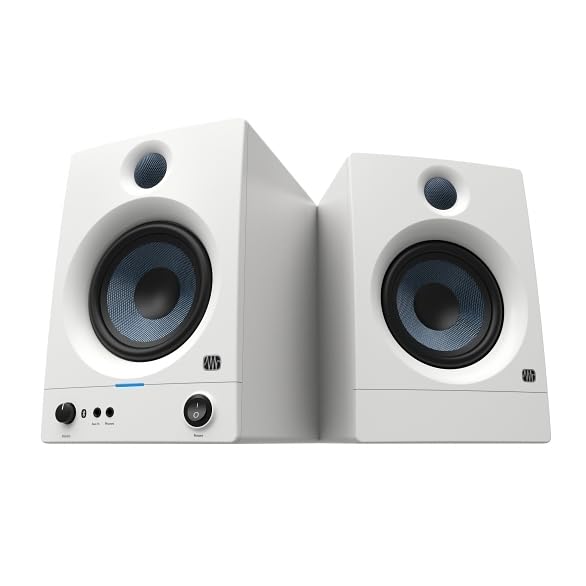
The desktop pair: 3.5-inch woven composite woofers, 1-inch silk dome tweeters, 50 W total, 80 Hz – 20 kHz, with acoustic tuning controls and a headphone socket on the front panel.
What it amounts to The desktop pair that admits its limits: everything above 80 Hz, on a front-panel socket you will use daily.
The Eris 3.5 is the smallest serious monitor in this group, and PreSonus is unusually direct about what that means: 80 Hz to 20 kHz, 50 W total, 3.5-inch woven composite woofers and 1-inch silk dome tweeters.
Eighty hertz is a high floor. Kick drums and bass guitars live below it, so mixes made on these need a second check — headphones, a car, a phone — before they are trusted. Every small monitor has this limitation and few listings say so.
What makes them work on a desk is the front panel. The headphone socket sits where you can reach it, so switching between speakers and headphones takes a second, and the aux input takes a phone without reaching behind the cabinet.
The back panel has balanced TRS inputs alongside RCA, which is more than the price suggests, and the acoustic tuning controls compensate for a desk that sits against a wall.
In its favor, and its limits
Strengths
A headphone socket on the front, so the speakers and the headphones share one source
Balanced TRS inputs at this price, which is not a given
Acoustic tuning controls for rooms that will never be treated
Small enough to sit either side of a laptop without dominating the desk
Compromises
80 Hz is a high starting point — bass decisions need checking elsewhere
No US or UK offer at the time of writing
Specifications
Sold as
A stereo pair
Power
50 W total
Drivers
3.5" woven composite woofer, 1" silk dome tweeter
Frequency response
80 Hz – 20 kHz (PreSonus states)
Room controls
High and low acoustic tuning controls
Inputs
Balanced TRS, RCA, front-panel aux
Headphones
Front-panel socket
Amazon reference
B0CC3BJKGN (identical on 6 markets)
EAN
0673454011863
The questions players ask
Can you mix on 3.5-inch monitors?
You can mix everything above 80 Hz on them, and PreSonus states that figure. What happens below it has to be checked on headphones or on another system — which is true of most small monitors, and rarely stated as plainly.
Why is the headphone socket useful?
It puts speakers and headphones on the same output, so switching between them is a cable move rather than a settings change. In a small room that is the switch you make most often.
Our score
7.2/ 10
The desktop pair that admits its limits: everything above 80 Hz, on a front-panel socket you will use daily.
Accessories confirmed for this instrument
Shown because the accessory names this instrument itself.
A reference exists on these Amazon stores: France, Germany, Italy, Spain, United Kingdom, United States. Listed is not the same as in stock — availability changes daily.
Details checked on August 18, 2026.
Who should pick this one, among music instruments and gear
A desk where space is the binding constraint and headphones are the main tool anyway.
Our music instruments and gear guides that pick it
Specifications: the manufacturer sheet for musical instruments and gear and the matching Amazon product page. Prices and availability: Keepa. Every figure on this page names its source.
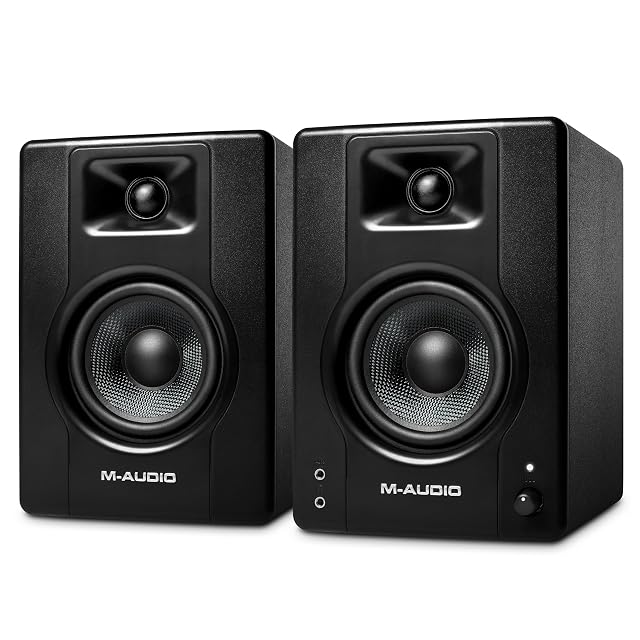
Pair · 4.5" Kevlar woofer · rear 6.3/3.5/RCA · front aux
A bi-amplified desktop pair with 4.5-inch black Kevlar woofers and silk dome tweeters, in MDF cabinets, with three rear input types, front-panel aux and rear high/low EQ.
Best for: A first pair of desktop monitors where nothing else should have to be bought.
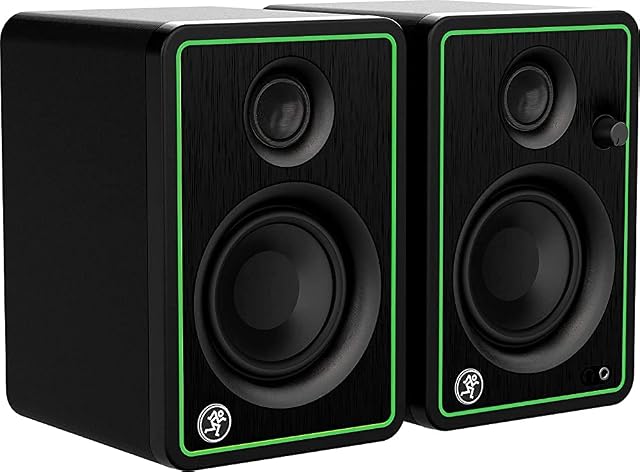
3 in drivers · 50 W · headphone jack that mutes the speakers · 1/4 in, 1/8 in and RCA
The only pair here whose front headphone socket switches the speakers off by itself — on 3-inch drivers, 50 watts, three input types and cables in the box.
Best for: A desk where the headphones and the speakers share one source and get swapped a dozen times a day.
Pair · 5" woofer · 100 W · Bluetooth · headphone out
The largest monitors in this group: 5-inch woofers, 1-inch tweeters, 100 W total, with RCA and 6.35 mm (0.25 in) TRS inputs, a headphone output and Bluetooth streaming.
Best for: A room with a meter or so behind the speakers, doing both music production and listening.